
Deadline72h
Civil, criminal and personal law
Exhibits, pleadings, deadlines and hearings: the strategy and the evidence are in the matter, with no spreadsheet on the side.
Product
Ulpian starts with what a firm handles every day: matters, contacts, time, billing, banking, exhibits and deadlines. Assisted research, drafting and review then build on that same data. You decide what goes to the client or the court.
Everything revolves around the matter: your day and the agents, deadlines, documents, billing, clients, the team, compliance, firm management and in-house legal all work on it together, with the same security and the same integrations. The watch walks you through each workspace; choose a point to stop there.
Without a shared foundation, roles and a link to the firm's practice, even the best assistant stays cut off from the rest of the work. Three principles prevent that in Ulpian.
Matters, teams, finance, exhibits and AI rely on the same data: screens and exports show the same figures.
Precise roles, approval workflows and a record of who decided, whenever the practice or compliance requires it.
Assistants, projects, missions and agents use what your teams enter, with no separate copy.
Platform
Choose a module: what it changes for the firm, then the shortest way to get there.
An agent is only useful if a firm can direct it: a clear plan, readable actions and a result handed back.
You know what will happen, what happened and why.
Example: litigation
Visible cues
The agent console: run log, approvals and audit trail.
Practice areas
Ulpian covers twenty-four matter types. Here are six representative families, with the same log and the same approvals.
Exhibits, pleadings, deadlines and hearings: the strategy and the evidence are in the matter, with no spreadsheet on the side.

Transactions, security, contracts and claims: the matter holds the deal and the amounts at stake.

Positions, appeals and correspondence, with deadlines and history ready for an audit.

Applications for authorisation, impact assessments and data breaches, in the same document management and the same log.

Claims, licences, procedure and award: documents and steps organised as in litigation.

Deeds, formalities and registers: preparation, signing and output, with a time-stamped log you can export.
The flow
The order is deliberate: the matter and finance first, AI second. Every step is one your teams already know.
Status, parties, conflicts, milestones and log, kept up to date on a single screen.
Versions, hashes and signed links on the documents in your cloud, so you can rebuild a file without digging through archives.
Templates by practice area, alerts, procedural deadlines and team views.
Time, invoices, payments and reconciliation, attached to the same matter.
An assistant on your documents, spoken questions about the firm's data, projects, tabular review and drafts from your templates.
A visible plan, human approval and results recorded in the matter. The agent prepares; the lawyer decides.
AI available today
Features available in the product today. Anthropic Claude, Google Gemini, OpenAI GPT, local Ollama and any OpenAI-compatible endpoint such as OpenRouter work with your firm's own keys. Private AI is available on request.
Three searches in parallel (applicable law, case law, opposing arguments) on the official sources of your jurisdiction. In deep mode, an independent check verifies every citation against the official websites and flags any discrepancy.
Email addresses, phone numbers, IBANs, Swiss social security and company numbers are replaced with tokens before any external call, then restored on your side. The firm chooses its policy: Ulpian's keys, its own keys or a local model. Pseudonymisation is on by default before external calls, and an EU or Swiss processing region can be enforced.
Search by keyword and by meaning across documents, AI work and the firm's positions. The assistant cites the firm's own know-how, records approved positions and flags contradictions.
Questions, summaries, comparisons and extractions on your documents. Every answer points to its source, and the result can be exported to Word.
Dictate a note or ask a quick question without leaving the screen. Transcription happens live, in English, French, Italian and German, through a speech engine hosted in the European Union. You save it to the matter, keep a draft or get a short answer with links to invoices, contacts and documents. Audio is not kept on Ulpian's servers.
One row per document, one column per question. Batch filling, cell-by-cell regeneration, export, and a chat on the table to dig into a point.
Assistant or tabular review workflows, supplied by Ulpian or created by your team, shared between roles with precise editing rights.
Named agents, organised as a team, with tracked tickets, scheduled checks and routines. Every action carries its explanation and its log.
Approvals by named people on sensitive output, proposals you can revisit and safeguards adjustable for each mission.
Versions, review states (draft, in review, approved, rejected), legal hold, retention periods, annotations and signed shares. Scans and images become searchable through text recognition.
Share documents and matter progress through a revocable, time-limited and logged link, with no account for the client to create. Confidential documents are always excluded.
CAMT imports, manual reconciliation, client funds and a cash view linked to the matter. Open banking is on the published roadmap.
Google Drive, OneDrive and SharePoint, and Dropbox for your existing documents. Email and calendar (Gmail, Outlook) are being integrated.
An exportable log, matter access open to the whole firm or restricted with individual permissions, and a record of the tools used by agents.
Agents
Each agent says what it will do, shows what it did and waits for your approval before anything is sent.
You see what will happen, what happened and why. You can stop a run at any time.
Litigation example
Corporate and M&A example
Compliance and data example
Notarial example
Agent console on the same matter, with the log in view
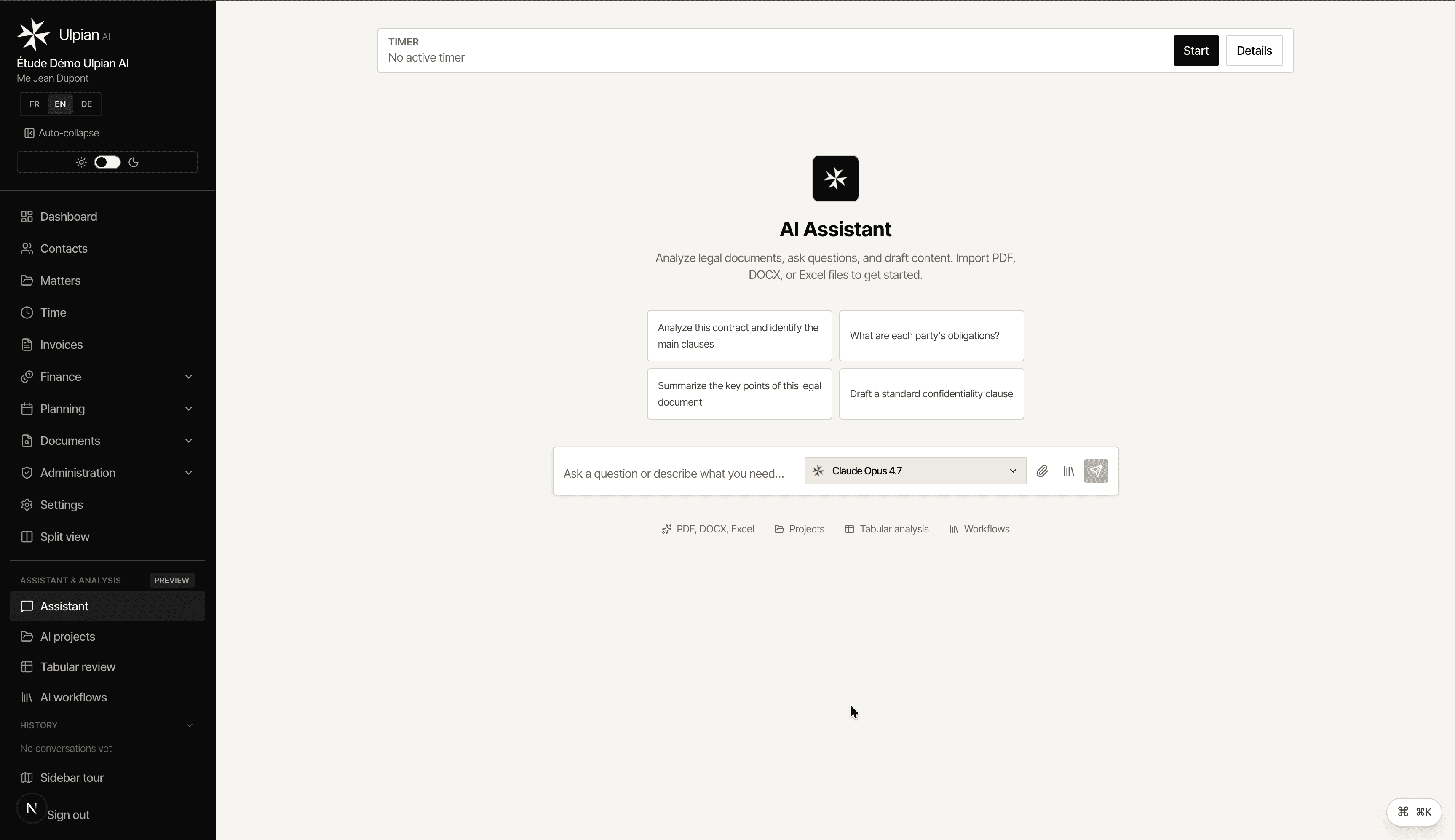
Agent console: the matter, the run log and finance on one screen.
Team
Collaboration stays disciplined: explicit rights, approvals where the practice requires them, and visibility for partners.
Seven permission levels, segregation of duties and minimal read access for external contributors.
One matter for the team, finance and documents, instead of copies in every channel.
Approval workflows for time, invoices and AI output before anything reaches the client.
A single activity feed: who did what, on which matter, with a link to the evidence.
Integrations
Every connector feeds the matter, finance or evidence directly.
CAMT imports and manual reconciliation; open banking in progress.
Manual deadlines and templates linked to the matter. Justitia.Swiss is in preparation.
Connectors to your document cloud; email and calendar according to the published roadmap.
Full exports (CSV, PDF, audit log) and an Enterprise API built with our clients.
Next steps
You start with matter management. Assistants are switched on when the team is ready, and agent missions when the volumes justify them.
Call
We prepare the session around your practice: litigation, advisory, notarial work or in-house legal. You see the matter, the work and the invoice on a representative case.